
Voting Made Easy With PollUnit
PollUnit is a free, user-friendly polling platform perfect for collecting staff votes on your photo contests. The free version is all you need for a simple voting setup, but if you want additional customization options or more flexible settings, you can upgrade to a paid plan anytime.
How to create a PollUnit picture poll
Follow these easy steps to create your PollUnit picture poll and start collecting votes for your photo contests in minutes.
- Visit https://pollunit.com/ and register for a free account
- Select Create Poll
- Select Photo Contest
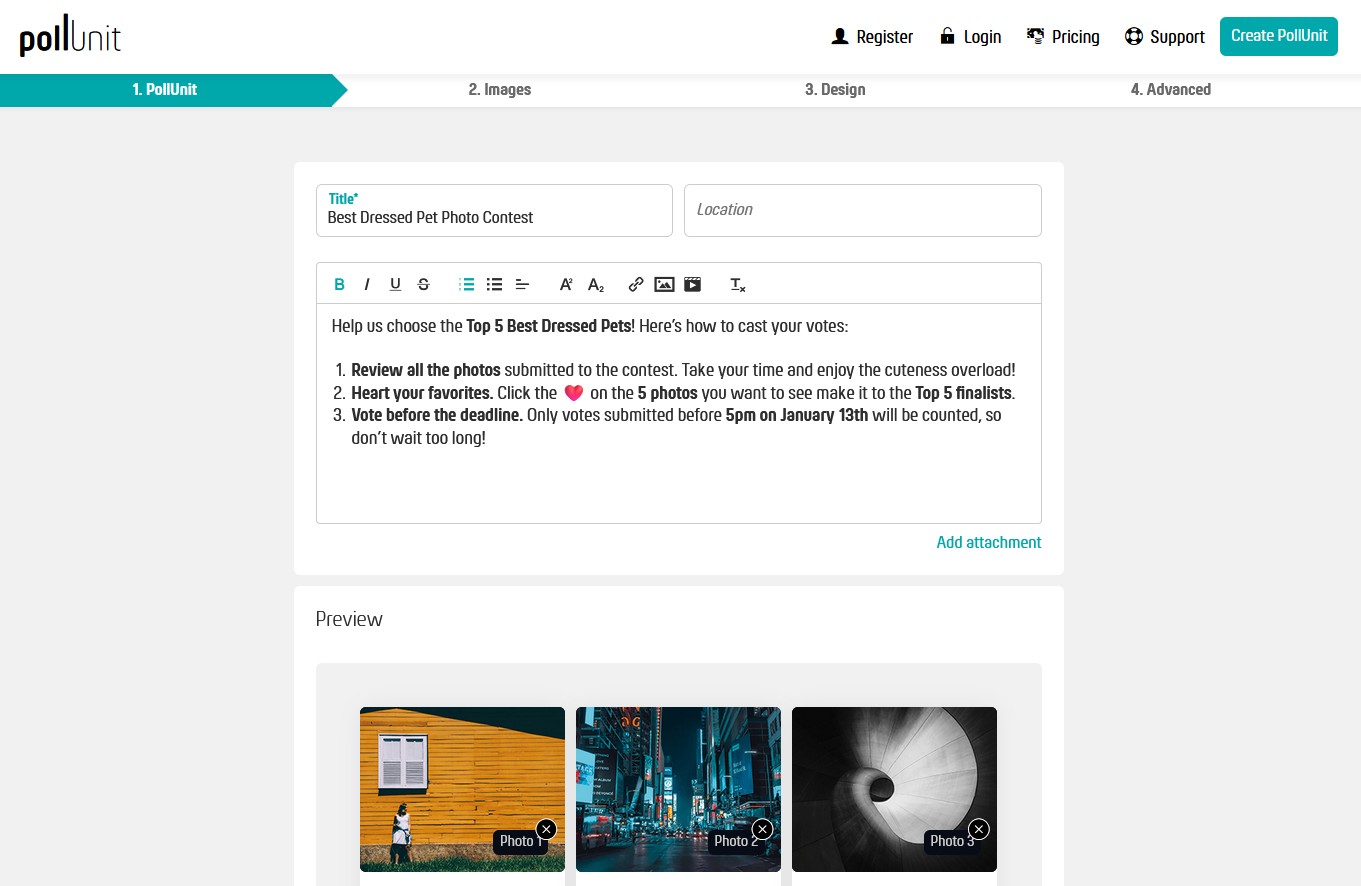
4. Add the photo contest title and description. You can use this template for the description:
"Help us choose the Top 5 Best Dressed Pets! Here’s how to cast your votes:
- Review all the photos submitted to the contest. Take your time and enjoy the cuteness overload!
- Heart your favorites. Click the ❤️ on the 5 photos you want to see make it to the Top 5 finalists.
- Vote before the deadline. Only votes submitted before 5pm on January 13th will be counted, so don’t wait too long!"
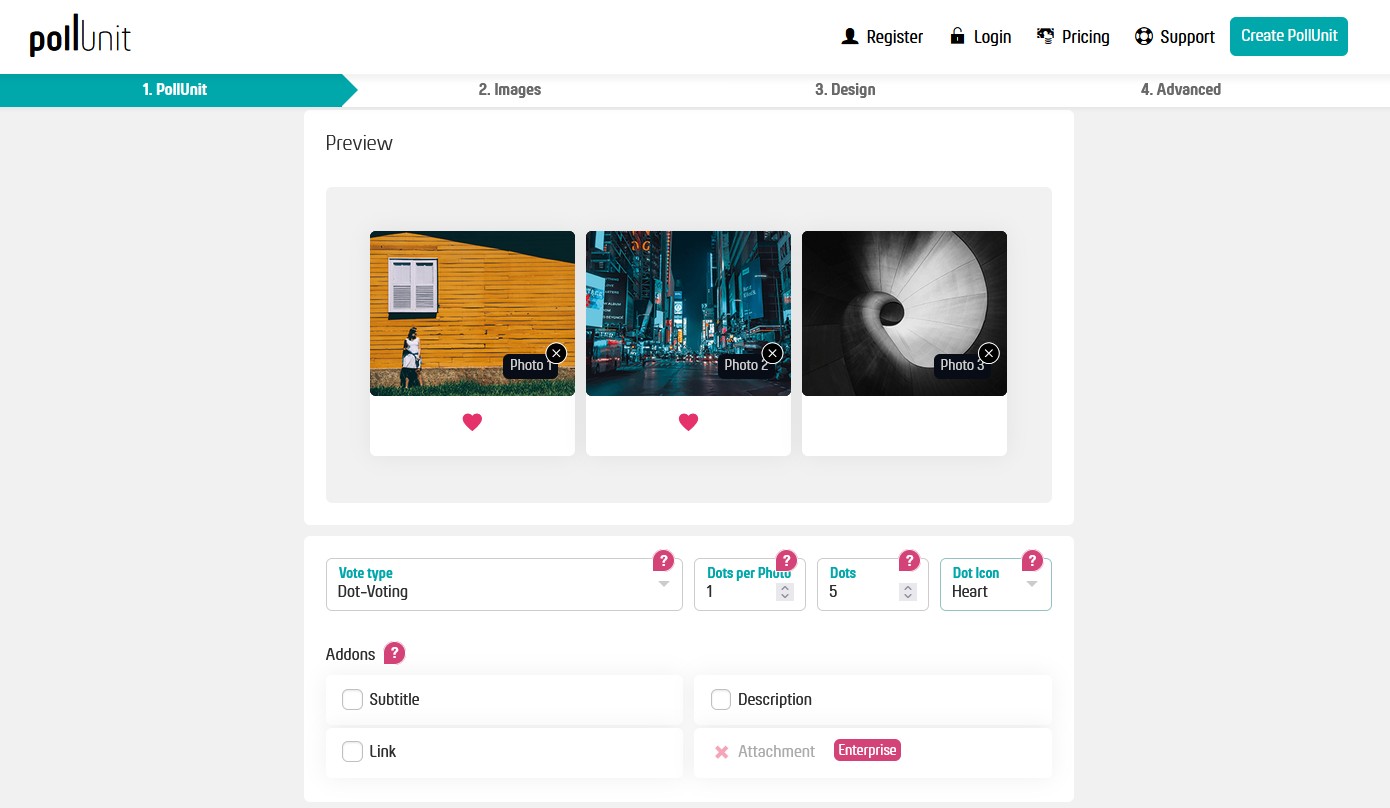
5. From the Vote-type drop-down, select Dot-Voting
6. From the Dots per Vote drop-down, select 1
7. From the Dots drop-down, select 5
8. From the Dot Icon drop-down, select Heart
9. Add your email under Creator email
10. Check "I accept the Privacy policy and Terms of use"
11. Select Next
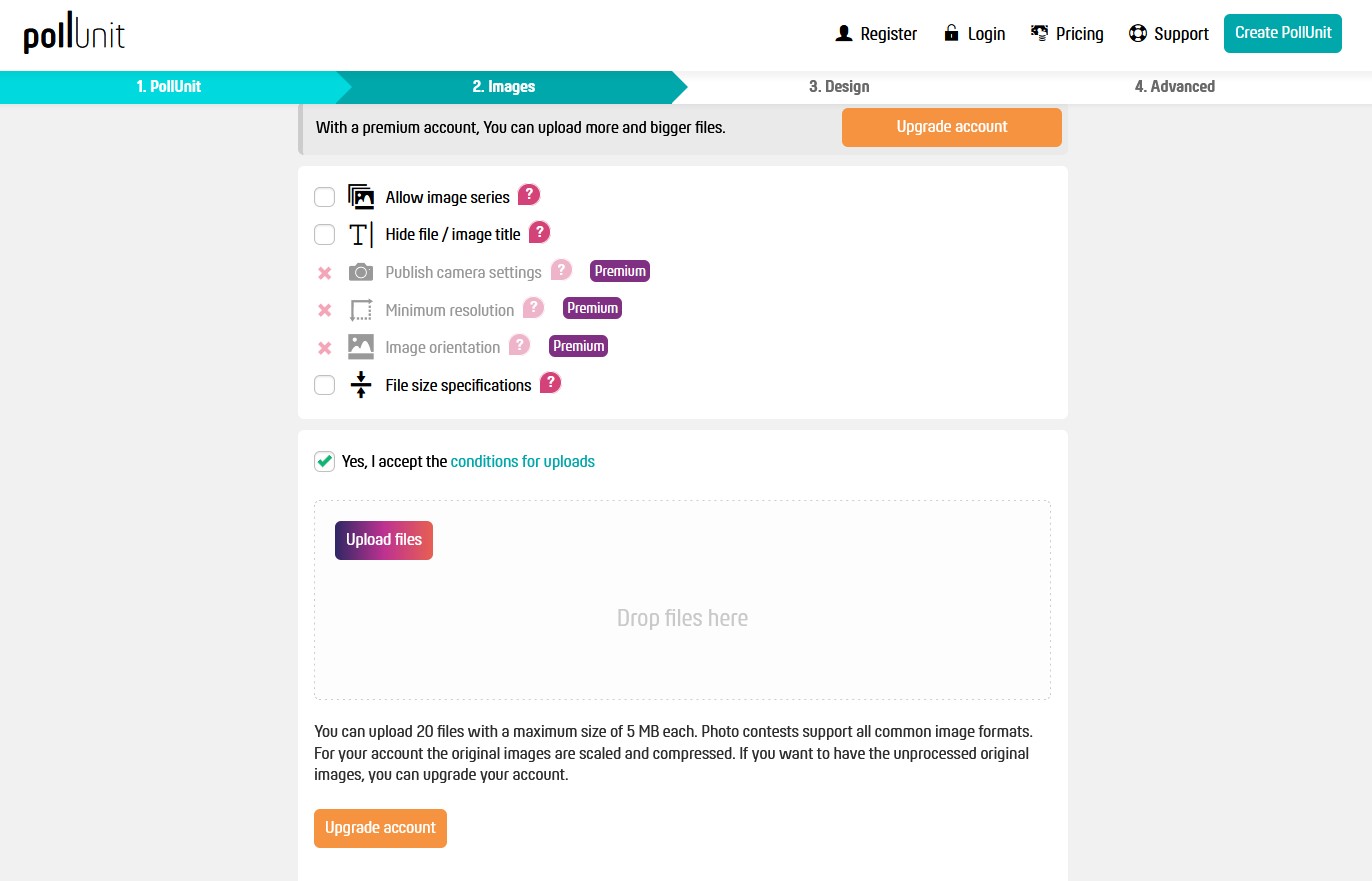
12. Check "Yes, I accept the conditions for uploads
13. Upload up to 20 contest images
14. Select Next
15. From the next screen, you can choose a Theme & Effect if you wish
16. Select Next
17. In the last screen, you can change a number of settings. I found the default settings to be ideal, but you may also choose to Anonymize voters / participants
18. Select Finish
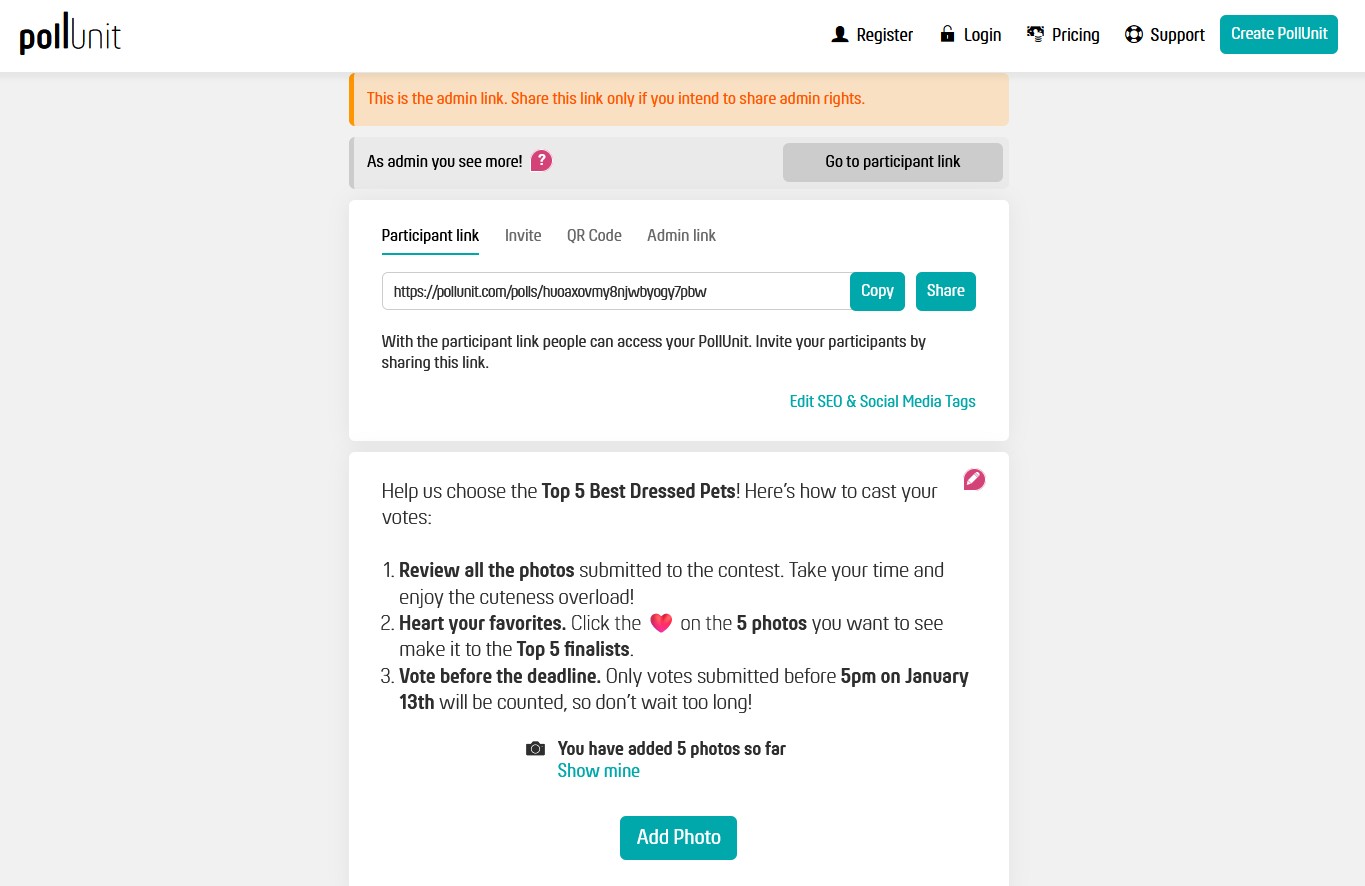
19. Copy & Share the Participation link or Invite your team directly through the poll
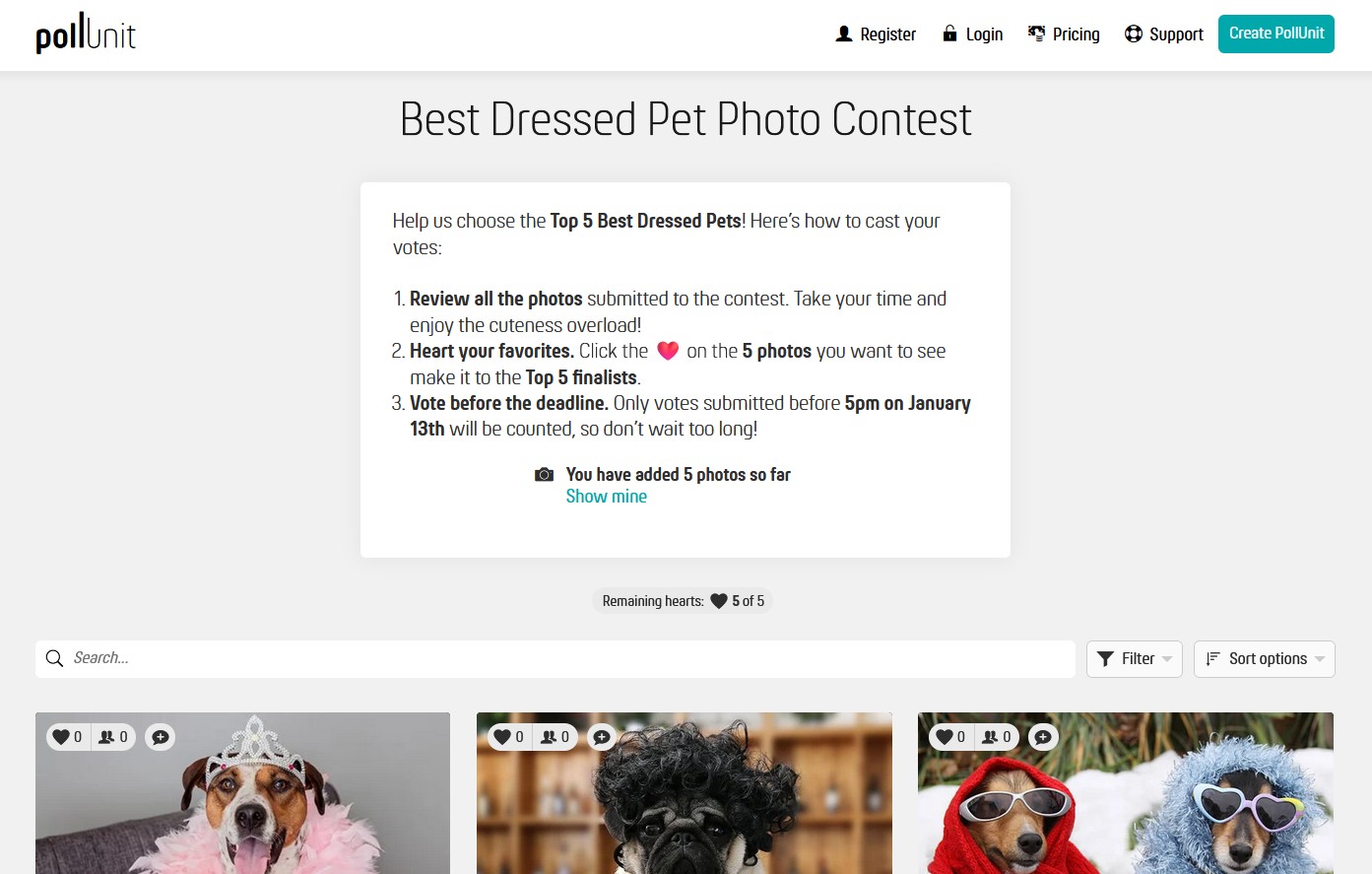
20. Watch the votes roll in!
Copyright 2021 - Privacy Policy